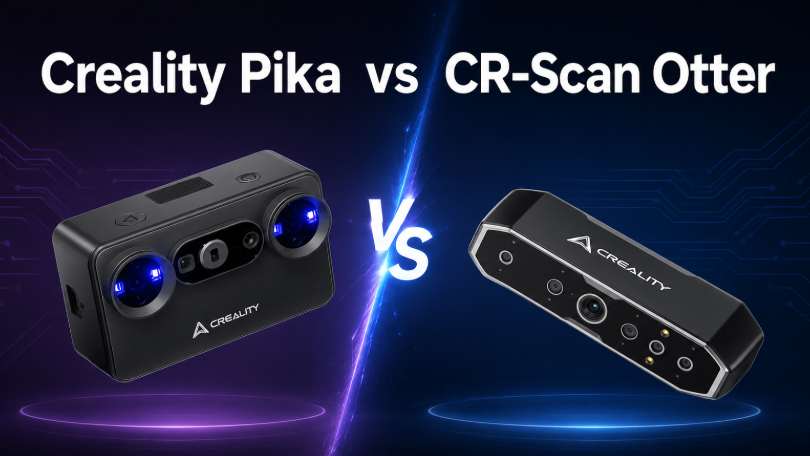

If you are comparing the Creality Pika vs CR-Scan Raptor, the decision is less about choosing a universally “better” scanner and more about choosing the right workflow.
Creality Pika is designed around portability, flexible everyday scanning and an easier mobile workflow. It combines blue-laser and NIR structured-light scanning with a built-in touchscreen, replaceable batteries, wireless connectivity and AI-assisted processing features.
CR-Scan Raptor, meanwhile, places greater emphasis on geometric precision. Its blue 7-line laser system reaches a stated accuracy of up to 0.02 mm and a resolution as fine as 0.02 mm, making it particularly attractive for small parts, mechanical components, reverse-engineering references and other detail-focused projects.
Quick Answer
Choose Creality Pika if you want a compact scanner that is easy to carry, can work with phones and computers, supports marker-free laser scanning in compatible workflows, and is suitable for everyday 3D creation.
Choose CR-Scan Raptor if your priority is maximum geometric detail, very small object scanning and a more precision-focused workflow for mechanical parts, product design and reverse engineering.
Creality Pika vs CR-Scan Raptor at a Glance
| Feature | Creality Pika | CR-Scan Raptor |
|---|---|---|
| Best for | Portable scanning, makers, creators and everyday 3D capture | Precision scanning, small parts and reverse engineering |
| Scanning technology | 7 parallel blue lasers + NIR structured light | Blue 7-line laser + NIR binocular structured light |
| Maximum stated accuracy | Up to 0.03 mm | Up to 0.02 mm |
| Finest stated 3D resolution | 0.1 mm in blue-laser mode | 0.02 mm in blue-light mode |
| Minimum blue-light scan volume | 10 × 10 × 10 mm | 5 × 5 × 5 mm |
| Maximum scanning speed | Up to 110 fps on a compatible PC | Up to 60 fps |
| Device weight | Approx. 260 g | Approx. 372 g |
| Built-in display | 3-inch touchscreen | No |
| Battery | Two replaceable 3,350 mAh batteries | Powered through connected setup |
| Marker-free laser scanning | Supported in wired PC mode | Blue-light mode primarily uses markers |
| NIR marker-free scanning | Geometry / texture based | Geometry / texture based |
| Colour scanning | Supported | 24-bit full-colour capture supported |
| Black / metallic objects | Designed to scan many without spray | Designed to scan many without spray |
| Mobile workflow | Strong focus on phone, tablet and PC use | Primarily computer-based; mobile use depends on compatible accessories |
| Outdoor scanning | Blue laser up to 110,000 lux | Suitable for varied environments depending on mode and setup |
| Creative visual workflows | Includes AI-assisted features and Gaussian Splatting workflows | Primarily focused on conventional 3D model capture |
Specifications and available features vary by scanning mode, connected device, software version and operating conditions.
The Main Difference: Everyday Portability or Maximum Geometric Detail?
At first glance, Pika and Raptor appear surprisingly similar.
Both combine blue-light scanning with NIR technology. Both can scan dark or metallic surfaces in many situations. Both support colour capture. Both can handle subjects ranging from small objects to people and larger objects.
The difference becomes clearer when you consider what each scanner is trying to optimise.
Pika is designed to make capable 3D scanning easier to carry into everyday environments.
Its 260 g body, built-in screen, replaceable batteries and wireless connectivity reduce the amount of equipment surrounding the scanner itself. It is intended for users who may scan in a workshop one day, at home the next and on location afterwards.
Raptor is more strongly focused on extracting detailed geometry.
Its blue-laser mode reaches up to 0.02 mm stated accuracy and 0.02 mm 3D resolution, while supporting a minimum scan volume of just 5 × 5 × 5 mm.
That makes Raptor particularly interesting when the scanned geometry matters more than having the smallest and most self-contained scanning setup.
1. Design and Portability
Creality Pika: Built to Go with You
Portability is one of Pika's clearest advantages.
At approximately 260 g, the scanner measures around 100 × 60 × 35 mm, making it considerably smaller than a traditional professional handheld scanning setup.
The body also incorporates a 3-inch touchscreen.
This allows users to access scanning settings, check device status and control parts of the workflow directly from the scanner rather than relying entirely on a connected computer interface.
Pika also includes two 3,350 mAh quick-swap batteries.
Instead of ending a mobile scanning session when the battery runs low, users can replace it and continue scanning.
This design is particularly useful for:
-
Makers moving between workspaces
-
Students and educators
-
Museum or exhibition scanning
-
Content creators
-
On-location product capture
-
Artists and digital designers
-
Users who do not want every project tied to a desktop workstation
The difference is not simply that Pika weighs less.
Its entire workflow has been designed around reducing the friction involved in starting a scan.
CR-Scan Raptor: Still Handheld, but More Workstation-Oriented
Raptor weighs approximately 372 g.
That is still relatively light for a precision-focused handheld 3D scanner and should remain comfortable for many scanning sessions.
Its elongated scanner body incorporates mechanical controls, an IMU and a ring indicator for scan-status feedback.
However, the workflow is more conventional.
Raptor is primarily used as part of a connected scanning system, with scanning data monitored and processed through compatible hardware and Creality Scan software.
For workshop users, this is not necessarily a disadvantage.
When scanning a mechanical component or detailed part, having a computer beside the scanner can make it easier to monitor tracking, exposure and point-cloud coverage.
Portability winner: Pika
Traditional workstation workflow: Raptor
2. Scanning Technology
Both scanners use two different scanning technologies, but their implementation serves slightly different priorities.
Pika: 7 Parallel Blue Lasers + NIR Structured Light
Pika combines:
-
7 parallel blue laser lines
-
NIR structured light
The blue-laser system is intended for capturing detailed geometry, contours and smaller objects.
The NIR system provides a wider scanning workflow for larger subjects, people and colour capture.
This allows one scanner to move between very different projects.
For example, a user could scan:
-
A mechanical bracket
-
A model or figurine
-
A sculpture
-
A piece of furniture
-
A human body
-
A product prototype
without changing scanners.
The dual-light design therefore supports Pika's broader positioning as an everyday multi-purpose scanner.
Raptor: Blue 7-Line Laser + NIR Binocular Structured Light
Raptor also combines a blue 7-line laser system with NIR structured light.
Its blue-light mode is where the scanner becomes particularly interesting for technical work.
The system uses blue parallel laser lines together with a high-resolution imaging system to capture edges and geometric detail.
The NIR mode then extends the scanner's capabilities to larger subjects and objects where marker-free geometry or texture tracking is more convenient.
In practice, the basic concept sounds similar to Pika.
The difference is in the specifications.
Raptor pushes the blue-light side of the system further towards precision.
3. Accuracy and 3D Resolution
This is one of the most important differences between Pika and Raptor.
Creality Pika
Pika offers a stated maximum accuracy of:
Up to 0.03 mm
in its blue-laser scanning mode.
Its stated blue-light 3D resolution ranges from:
0.1–2 mm
For general 3D printing, modelling, creative work and many product-scanning applications, this already represents a very high level of detail.
CR-Scan Raptor
Raptor reaches a stated maximum blue-light accuracy of:
Up to 0.02 mm at 100 mm
Its stated blue-light resolution ranges from:
0.02–2 mm
That difference is significant when the goal is to capture very small features.
Raptor is therefore better suited to applications involving:
-
Mechanical components
-
Small replacement parts
-
Product inspection references
-
Detailed automotive components
-
Precision modelling
-
Reverse engineering
-
Small collectables
-
Bolts, fittings and connectors
It is important not to interpret the accuracy number as a guarantee that every finished scan will automatically achieve that level of precision.
Real-world results also depend on factors such as:
-
Calibration
-
Scanning distance
-
Operator movement
-
Object geometry
-
Surface reflectivity
-
Tracking quality
-
Ambient conditions
-
Post-processing
But when both scanners are operating under appropriate conditions, Raptor has the stronger specification for fine geometric capture.
Accuracy winner: Raptor
4. Small Object Scanning
If your main reason for buying a scanner is to digitise small parts, Raptor has another advantage.
Its blue-light mode supports a stated minimum scanning volume of:
5 × 5 × 5 mm
Pika's blue-light mode begins at approximately:
10 × 10 × 10 mm
The difference may not matter when scanning a 150 mm component.
It becomes much more relevant when dealing with very small subjects.
Raptor is particularly suitable for:
-
Small mechanical parts
-
Coins
-
Miniatures
-
Bolts
-
Connectors
-
Detailed figurines
-
Small product components
Its finer 0.02 mm resolution also makes it more capable of preserving tiny edges, grooves and geometric changes.
Does That Mean Pika Is Bad for Small Objects?
No.
Pika's blue-laser mode remains suitable for many small and medium objects.
For makers scanning objects primarily to reproduce or modify them through 3D printing, its 0.03 mm stated accuracy can already be more than sufficient for many projects.
Pika simply trades some of Raptor's maximum geometric resolution for a much more compact and mobile overall workflow.
Small-object winner: Raptor
5. Medium and Large Object Scanning
The comparison becomes more balanced as object size increases.
Both scanners include NIR scanning modes intended for larger subjects.
These may include:
-
Sculptures
-
Furniture
-
Vehicle interior components
-
Human bodies
-
Large prototypes
-
Decorative objects
-
Larger automotive parts
Pika's NIR mode provides a working distance of approximately 140–1,000 mm, while its single capture area can reach approximately 764 × 670 mm at 1,000 mm.
Raptor's NIR workflow similarly provides a wider field of view for subjects that would be inefficient to capture through a narrow precision-laser workflow.
For these objects, maximum 0.02 mm precision becomes less important.
Scanning stability, field of view and freedom of movement often matter more.
That is where Pika becomes particularly appealing.
Its lighter body and battery-powered design make it easier to walk around larger subjects without building the scan around a fixed workstation.
Which Is Better for Large Objects?
If you regularly scan large objects in a workshop and value a connected workflow, Raptor remains capable.
If you regularly move around the object, travel to scanning locations or work away from a desk, Pika is more convenient.
6. Scan Speed
Scanning-speed figures require some context because the two scanners handle processing differently.
Pika
When connected to a compatible computer through USB 3.0, Pika's blue-laser mode can reach a stated maximum scanning speed of:
Up to 110 fps
Its mobile blue-laser scanning speed reaches up to:
40 fps
NIR scanning operates at lower frame rates.
The high PC frame rate allows Pika to capture a large amount of positional information while the user moves the scanner around the object.
Raptor
Raptor's blue-light scanning mode reaches:
Up to 60 fps
Its NIR mode reaches:
Up to 20 fps
On paper, Pika therefore has the higher maximum frame rate.
But frame rate alone does not determine scan quality.
A stable 60 fps scan with strong tracking can produce a better model than a poorly controlled 110 fps scan.
Users still need to:
-
Maintain the correct scanning distance
-
Move steadily
-
Keep sufficient frame overlap
-
Maintain tracking
-
Avoid sudden movement
-
Capture difficult areas from appropriate angles
Maximum stated scan-speed winner: Pika
7. Marker-Free Scanning
Markers are one of the biggest practical considerations when scanning mechanical objects.
Traditional laser scanning often requires reflective markers to help the software understand the scanner's position relative to the object.
Placing dozens of markers can significantly increase preparation time.
Pika
Pika supports marker-free blue-laser scanning for suitable objects when used in wired PC mode.
This is particularly useful when scanning objects with recognisable geometry.
It can reduce preparation time for:
-
Product prototypes
-
Sculptures
-
Mechanical components with distinctive geometry
-
Medium-sized objects
-
Creative references
However, marker-free does not mean markers are never useful.
Smooth, repetitive or featureless surfaces may still benefit from additional tracking references.
Raptor
Raptor's precision blue-light mode primarily relies on marker-based alignment.
Its NIR mode supports:
-
Markers
-
Geometry tracking
-
Texture tracking
For highly technical scanning, markers are often not a major disadvantage.
In fact, when dimensional consistency is the priority, users may actively prefer marker-based tracking because it provides clear positioning references.
For casual scanning, however, placing markers can feel like unnecessary preparation.
Convenience winner: Pika
Precision-oriented tracking workflow: Raptor
8. Black and Metallic Objects
Dark and metallic surfaces are traditionally difficult for optical 3D scanners.
These materials may absorb, scatter or reflect the projected light in ways that reduce tracking quality.
Both Pika and Raptor are designed to reduce this problem.
Pika
Pika's blue-laser modes are designed to capture many black and metallic objects without requiring scanning spray.
This can make it useful for:
-
Black plastic parts
-
Dark automotive components
-
Metal tools
-
Mechanical components
-
Painted products
Raptor
Raptor was similarly designed with demanding technical materials in mind.
Its blue-laser system can scan many black and metallic objects without powder or scanning spray.
That makes it particularly attractive for workshop and engineering applications where surface preparation would otherwise slow down the workflow.
What About Mirror-Like or Transparent Materials?
Neither scanner eliminates the fundamental difficulty of scanning every reflective or transparent surface.
Highly polished metal, glass and transparent plastic can still require temporary surface treatment.
Users should therefore interpret “scan without spray” as applying to many challenging real-world materials—not every possible surface.
9. Colour Scanning
Both scanners support colour capture.
This matters when the model is being used for more than measurement or manufacturing.
Colour scanning is useful for:
-
Digital archives
-
Artwork
-
Sculptures
-
Human models
-
Game assets
-
AR/VR content
-
Digital characters
-
Product visualisation
Pika
Pika's NIR structured-light system supports 24-bit full-colour capture.
It also includes supplemental lighting and a removable IR filter designed to improve scanning stability in challenging lighting conditions.
Raptor
Raptor also supports full-colour scanning and includes 12 white LED supplemental lights to improve texture capture.
That means either scanner can create textured colour models.
The choice again comes down to workflow.
Raptor is attractive when colour capture is an additional feature alongside precision geometry.
Pika is attractive when colour and creative scanning are central to a wider content-creation workflow.
10. Outdoor Scanning
Outdoor scanning introduces another problem: sunlight.
Bright ambient light can interfere with structured-light systems and make it harder for a scanner to detect projected patterns.
Pika has been designed specifically with this problem in mind.
Its blue-laser mode is rated for scanning environments up to approximately:
110,000 lux
Its filtered NIR mode is rated for environments up to approximately:
80,000 lux
This makes Pika particularly attractive for:
-
Automotive scanning
-
Outdoor sculptures
-
Architecture-related references
-
On-location creative work
-
Objects that cannot easily be moved indoors
Raptor can also be used across varied scanning environments, but Pika's portability, battery system and explicit high-ambient-light design make outdoor use one of its stronger practical advantages.
Outdoor and on-location winner: Pika
11. Software and Device Compatibility
Both scanners integrate with Creality's scanning ecosystem.
The software handles tasks including:
-
Scan capture
-
Point-cloud processing
-
Alignment
-
Meshing
-
Model optimisation
-
Texture processing
-
File export
The resulting models can be exported into common formats for continued processing.
Pika
Pika is designed for a broader range of connected devices.
It supports workflows involving:
-
Windows
-
macOS
-
Android
-
iOS
Its Wi-Fi 6 connectivity also enables a wireless PC workflow.
Mobile scanning is therefore part of Pika's core design rather than an optional extension.
Raptor
Raptor has traditionally been more focused on Windows and macOS scanning.
Compatible mobile workflows can be added through supported Creality scanning accessories and applications.
This is an important distinction.
If your scanner will almost always sit beside a capable workstation, Raptor's approach makes sense.
If you want to scan through several different devices or regularly work away from your primary computer, Pika is more flexible.
Device flexibility winner: Pika
12. AI-Assisted Processing
Pika also introduces a stronger emphasis on AI-assisted post-processing.
Available PC-based features include workflows such as:
-
AI retexturing
-
AI hole filling
-
AI body completion
These tools are intended to reduce some of the manual work that normally takes place after capture.
For beginners, this can be especially valuable.
Capturing a point cloud is only part of the 3D scanning process.
Real scans often contain:
-
Missing areas
-
Holes
-
Incomplete surfaces
-
Texture inconsistencies
-
Unwanted geometry
Reducing the amount of manual repair required can make 3D scanning significantly more approachable.
Raptor's value proposition is different.
It focuses more strongly on acquiring accurate scan data in the first place rather than positioning AI-assisted creative processing as a central feature.
13. Gaussian Splatting and Creative 3D Capture
Pika also targets newer 3D visualisation workflows such as Gaussian Splatting.
Traditional 3D scanning usually converts captured geometry into a polygon mesh.
That is ideal for:
-
CAD reference
-
3D printing
-
Reverse engineering
-
Mesh editing
Gaussian Splatting serves a different purpose.
It is designed to recreate the visual appearance of a real-world object or environment with a high degree of photorealism.
This can be valuable for:
-
Virtual environments
-
Spatial media
-
Digital exhibitions
-
AR and VR
-
Photorealistic scene capture
-
Interactive visual content
This gives Pika an advantage for creators whose idea of “3D scanning” extends beyond conventional mesh reconstruction.
Raptor remains the stronger tool when the ultimate objective is accurate conventional geometry.
Which Scanner Is Better for Your Projects?
| Application | Recommended Scanner | Why |
|---|---|---|
| Portable everyday scanning | Pika | Smaller, lighter and battery powered |
| Beginners | Pika | Built-in screen, mobile support and easier workflow |
| Small mechanical parts | Raptor | Finer 0.02 mm resolution and smaller minimum scan volume |
| Reverse engineering | Raptor | Higher stated geometric accuracy |
| 3D-printing references | Both | Pika prioritises convenience; Raptor prioritises maximum detail |
| Mobile creative work | Pika | Strong phone and wireless workflow |
| Automotive parts | Both | Raptor for detailed components; Pika for easier on-location scanning |
| Black / metallic objects | Both | Both are designed to handle many difficult surfaces without spray |
| Human scanning | Both | Both include NIR modes |
| Outdoor scanning | Pika | Portable design and high ambient-light resistance |
| Miniatures | Raptor | Higher geometric resolution |
| Product design | Raptor | More precision-focused workflow |
| Digital characters | Pika | Portable colour capture and creative features |
| Gaussian Splatting | Pika | Designed to support newer spatial-visualisation workflows |
| Workshop scanning | Raptor | Precision-focused connected workflow |
Choose Creality Pika If...
Choose Creality Pika if:
-
You want a scanner that is easy to carry.
-
You regularly scan away from your workstation.
-
You want a built-in touchscreen.
-
You prefer replaceable batteries.
-
You want flexible phone and computer connectivity.
-
You value marker-free blue-laser scanning for suitable objects.
-
You scan outdoors or in changing environments.
-
You want blue-laser and NIR scanning in one compact device.
-
You create 3D-printing references as well as digital visual content.
-
You want AI-assisted post-processing features.
-
You are interested in Gaussian Splatting.
-
You are new to 3D scanning and want a more approachable workflow.
Pika is particularly attractive to makers, creators, educators, artists, students and general 3D-printing users.
It gives up a small amount of Raptor's maximum geometric precision in exchange for a much more portable and flexible everyday experience.
Portable 3D Scanning with Creality Pika
Scan small parts, people, models and creative references using a lightweight dual-light scanner designed to move with your projects.
Choose CR-Scan Raptor If...
Choose CR-Scan Raptor if:
-
Maximum geometric detail is your priority.
-
You frequently scan very small objects.
-
You need up to 0.02 mm stated accuracy.
-
You value 0.02 mm minimum blue-light resolution.
-
You scan mechanical or automotive parts.
-
You use scan data as a reference for reverse engineering.
-
You primarily work beside a computer.
-
You do not mind using markers for precision laser scanning.
-
You need a scanner that handles both detailed parts and larger subjects.
-
Your workflow is more engineering-focused than content-creation-focused.
Raptor remains particularly suitable for engineers, designers, advanced makers, automotive users and workshops.
Its strongest advantage is not convenience.
It is the ability to capture fine geometry.
Creality Pika vs Raptor for 3D Printing
Both scanners can create models that can eventually be used in a 3D-printing workflow.
However, the right scanner depends on what you are printing.
Choose Pika for:
-
Replicating household objects
-
Creative modelling
-
Props
-
Figures
-
Art projects
-
Medium-sized replacement parts
-
Rapid everyday capture
Choose Raptor for:
-
Mechanical replacements
-
Closely fitting components
-
Small detailed parts
-
Reverse-engineering references
-
Precision prototypes
A scanner does not normally produce a perfectly printable model immediately.
After scanning, users may still need to:
-
Remove unwanted geometry.
-
Align multiple scans.
-
Fill holes.
-
Repair the mesh.
-
Correct dimensions.
-
Add or modify geometry in CAD.
-
Export the finished model.
-
Slice it for printing.
For reverse engineering in particular, the scan should normally be considered a geometric reference rather than a replacement for CAD modelling.
Creality Pika vs Raptor for Automotive Scanning
Automotive scanning is a particularly interesting use case because both scanners have different advantages.
Raptor is better suited to smaller detailed components such as:
-
Brackets
-
Engine-bay parts
-
Connectors
-
Trim components
-
Mounting points
-
Mechanical assemblies
Its finer geometric resolution is valuable when individual features need to be reproduced.
Pika becomes more attractive when scanning requires moving around:
-
Vehicle interiors
-
Body panels
-
Seats
-
Dashboards
-
Larger trim sections
-
Modification areas
Its lower weight and more portable setup make it easier to move around a vehicle.
For many automotive users, the ideal decision therefore comes down to scale:
Small precision components → Raptor
Larger on-location automotive capture → Pika
Conclusion: Creality Pika or CR-Scan Raptor?
There is no universal winner between Creality Pika and CR-Scan Raptor.
They overlap in capability but are designed around different priorities.
Creality Pika is the better portable all-rounder.
Its 260 g body, touchscreen, replaceable batteries, wireless connectivity, marker-free laser workflow, AI-assisted features and dual-light scanning system make it especially suitable for users who want to bring 3D scanning into everyday creative and maker workflows.
It is the scanner to choose when mobility, convenience and versatility matter most.
CR-Scan Raptor is the better precision-focused scanner.
Its up to 0.02 mm blue-light accuracy, 0.02 mm minimum resolution and ability to scan extremely small objects make it a stronger choice for detail-sensitive applications.
It is the scanner to choose when fine geometry, small objects and reverse-engineering references matter most.
The easiest way to decide is therefore:
Choose Pika when you want to scan more easily.
Choose Raptor when you want to scan more precisely.
For many makers and everyday users, Pika will be the more flexible scanner.
For engineers, advanced users and anyone regularly capturing small mechanical geometry, Raptor remains the stronger specialist choice.
Frequently Asked Questions
1. Is Creality Pika better than CR-Scan Raptor?
Neither scanner is better for every application.
Pika is better for portability, mobile scanning, marker-free laser capture on suitable objects and creative workflows.
Raptor is better when maximum geometric accuracy and fine-detail capture are the main priorities.
2. Which is more accurate, Pika or Raptor?
CR-Scan Raptor has the higher stated maximum accuracy.
Its blue-light mode reaches up to 0.02 mm, while Pika reaches up to 0.03 mm in its blue-laser mode.
Real-world accuracy also depends on calibration, object geometry, scanning distance, tracking and environmental conditions.
3. Which scanner is better for small objects?
Raptor is generally the better option.
Its blue-light mode supports a minimum scanning volume of approximately 5 × 5 × 5 mm and resolution as fine as 0.02 mm.
Pika's minimum blue-light scan volume is approximately 10 × 10 × 10 mm.
4. Which scanner is better for 3D printing?
Both are suitable.
Pika is more convenient for everyday 3D-printing references and creative models.
Raptor is better when the scanned part contains small dimensional features that need to be captured accurately.
5. Can Pika and Raptor scan black objects?
Yes.
Both scanners are designed to capture many black and metallic surfaces without requiring scanning spray.
Extremely reflective, transparent or mirror-like objects may still require surface preparation.
6. Do Pika and Raptor require markers?
It depends on the scanning mode and object.
Pika supports marker-free blue-laser scanning for suitable objects in wired PC mode.
Raptor's precision blue-light mode primarily uses markers, while its NIR mode can use marker, geometry or texture tracking.
7. Which scanner is better for reverse engineering?
Raptor is generally the stronger choice because of its up to 0.02 mm stated accuracy and finer blue-light resolution.
The resulting scan can then be imported into compatible mesh or CAD software as a reference for rebuilding the part.
8. Can Pika and Raptor scan people?
Yes.
Both scanners include NIR scanning modes suitable for larger subjects such as faces and human bodies.
For users who frequently move around subjects or work away from a workstation, Pika's lighter battery-powered design may be more convenient.
9. Which scanner is easier for beginners?
Pika is likely to be easier for most beginners.
Its compact body, touchscreen, mobile compatibility, wireless workflow and AI-assisted processing features reduce some of the complexity associated with traditional 3D scanning.
10. Which scanner scans faster?
Pika has the higher stated maximum frame rate.
When connected to a compatible PC, its blue-laser mode can reach up to 110 fps.
Raptor's blue-light mode reaches up to 60 fps.
Scanning speed alone does not determine scan quality, however. Tracking stability, movement, overlap and object preparation remain important.
11. Which scanner is better for automotive parts?
Both can work well.
Choose Raptor for small mechanical parts and detailed components.
Choose Pika when scanning larger automotive areas or when portability and freedom of movement are more important.
12. Can the scan files be edited in CAD software?
Both scanners can output commonly used 3D formats that can be imported into many modelling and reverse-engineering workflows.
However, scanned mesh data is different from a native parametric CAD model.
For applications such as Fusion 360, Inventor or SolidWorks, users will often import the scan as a mesh or reference and rebuild the required surfaces or solid geometry.
13. Can Pika replace Raptor for professional scanning?
It depends on what “professional” means for the project.
For professional content creation, general product scanning, 3D-printing references and mobile scanning, Pika may be more practical.
For projects where very fine geometric resolution is the defining requirement, Raptor remains the more appropriate option.
14. Is the 0.01 mm difference in accuracy actually important?
Sometimes.
For a human-body scan or a 400 mm sculpture, the difference between 0.02 mm and 0.03 mm maximum stated accuracy is unlikely to be the main factor determining the result.
For a small mechanical component with fine grooves, mating surfaces or detailed edges, the additional resolution available from Raptor can become considerably more useful.
That is why intended application matters more than comparing specification numbers alone.
15. Should beginners buy Pika or Raptor?
For most beginners, Pika is the easier starting point.
Raptor makes more sense when the user already knows that precision mechanical scanning, small components or reverse engineering will be a major part of their workflow.